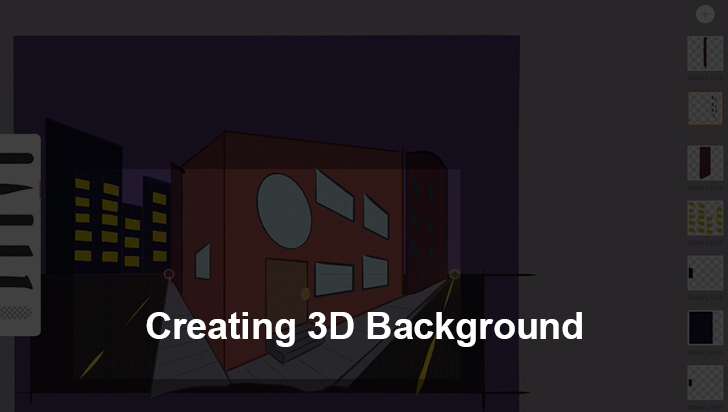
Creating 3D Background
by Chad Troftgruben
Start the free chapterIn this course you will learn how to build three background types: 2D 2 Point Perspective, 2D assets in a 3D apace and a full 3D environment suited for an animated cartoon. Throughout this course you will be introduced to a variety of software and iPad Pro apps that can help with the creation and finalization of your backgrounds. By going from 2D to 3D, this course will help you understand the basics of 3D space as well as how After Effects can be applied to almost any background type. While Moho is used to build the 3D sets in this course, these techniques can be applied to almost any type of 3D software. For best results, it's recommended you view 2D Background Design for Cartoon Animation before following along with these lessons.
Course content
Introduction4 lessons
Sketching a 2 Point Perspective Background9 lessons
- Creating a New Document in Adobe Sketch2:16Free
- Setting Up Two Point Guides4:46Free
- Sketching the Building Outline8:10Free
- Sketching the Sidewalk5:33Free
- Sketching Building Details7:55Free
- Sketching Other Buildings4:22Free
- Sketching Background Buildings2:37Free
- Sketching 3D Stairs5:32Free
- Exporting Sketch for Next Step2:35Free
Designing and Finalizing a 2 Point Background10 lessons
- Importing Images into Adobe Draw5:17Free
- Setting up Adobe Draw Workspace2:43Free
- Applying Lines to the Building5:55Free
- Outlining Building Details7:19Free
- Outlining Stairs and Sidewalk5:38Free
- Outlining the Background Buildings3:15Free
- Filling in the Main Building7:19Free
- Filling in Other Set Pieces8:59Free
- Adding Final Touches9:17Free
- Exporting the Scene for After Effects Polishing2:05Free
Polishing the 2 Point Background9 lessons
- Organizing Layers in Photoshop8:201 credit or ad
- Importing PSD into After Effects3:561 credit or ad
- Adding Depth of Field to BG Buildings3:461 credit or ad
- Applying Contrast and Color Gradient7:421 credit or ad
- Building New Scenery Using Existing Assets3:321 credit or ad
- Smoothing Out Layers with Bilateral Blur5:501 credit or ad
- Correcting Drawing Mistakes with Masks9:491 credit or ad
- Adding Final Touches5:481 credit or ad
- Adding Grain2:321 credit or ad
Building a Vector Based Environment9 lessons
- Setting Up a New Moho Document3:541 credit or ad
- Setting Up Vertical Posts for Fence9:191 credit or ad
- Creating Horizontal Posts for Fence3:381 credit or ad
- Drawing the Road and Sidewalk4:041 credit or ad
- Adding Hills and Grass in the Distance3:541 credit or ad
- Drawing the Buildings10:181 credit or ad
- Adding Foreground Decorations9:131 credit or ad
- Creating a Locked Sky2:281 credit or ad
- Building Out Assets for Camera Movements6:251 credit or ad
Assembling a 2.5D Environment7 lessons
- Setting Assets in 3D Space in Moho8:071 credit or ad
- Adding Automatic Depth of Field5:401 credit or ad
- Adding Manual Depth of Field5:301 credit or ad
- Animating the Blur Effect in Moho3:201 credit or ad
- Adjusting the Camera Angle for Proper View9:281 credit or ad
- Animating and Exporting7:101 credit or ad
- Polishing Set Pieces in After Effects6:261 credit or ad
Building an Interior 3D Scene9 lessons
- Assembling Moho Workspace2:521 credit or ad
- Building the Floor6:471 credit or ad
- Building the Walls5:081 credit or ad
- Building an Entryway6:191 credit or ad
- Adding Baseboards9:201 credit or ad
- Building Lighted Panels9:111 credit or ad
- Adding Computer Monitors9:071 credit or ad
- Punching Out a Window9:541 credit or ad
- Building Final Details2:491 credit or ad
Building an Interior 3D Scene9 lessons
- Creating Wall Texture8:511 credit or ad
- Creating Floor Texture2:321 credit or ad
- Creating Door Texture6:361 credit or ad
- Creating Additional Scene Textures6:041 credit or ad
- Coloring Lights in Photoshop4:521 credit or ad
- Installing Textures in Moho10:171 credit or ad
- Adding the Space Background3:521 credit or ad
- Polishing up the Set6:121 credit or ad
- Exporting the 3D Set3:491 credit or ad