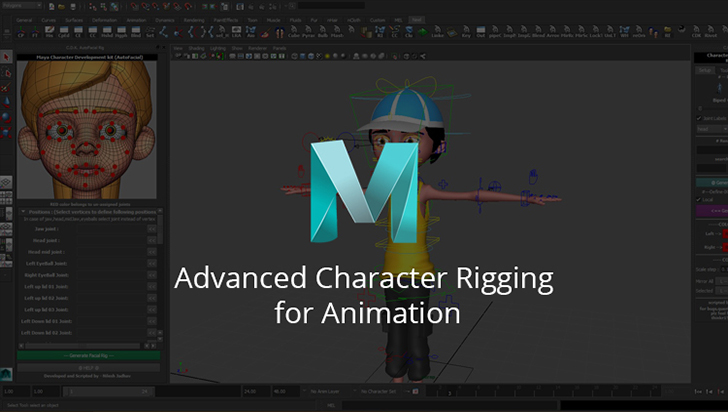
Advanced Character Rigging for Animation
Aimed at students that already have a basic background in rigging and want to take their skills to the next level, industry veteran Michael Ingrassia will share from his 17 years of experience in 3D production for game and cinematics and showcase advanced rigging techniques that can be applied in film, game, and cartoony character rigs.rnThis video course begins with a look at advanced rigging and explores many key techniques. Building a solid, reliable production rig takes time and testing. The rigging techniques presented in this video course have been used successfully in many real world productions and improved upon continuously from animator's feedback.rnStudents begin by building a solid, clean base rig, then add additional layers to allow more functionality, while still keeping the rig fast and responsive with the animator in mind. Options will be demonstrated such as "stretchy" ribbon limbs, reverse foot setup and IK/FK switches.rnFor students looking for a solid game engine rig, the BONUS chapter includes lessons on building an export skeleton that will work smoothly with either Unreal or Unity game engines.
Course content
Getting Started5 lessons
Leg FK Setup9 lessons
- Creating left leg binding joints2:32Free
- Naming conventions, joint orientation and creating the right leg binding joints3:39Free
- Creating driving joints for the legs2:19Free
- Creating control curves3:15Free
- Create control curves for each area of the left leg including offset nodes for each5:34Free
- Connecting controls curves to joints using constraints3:42Free
- Set up for a stretchy leg1:44Free
- Connecting the FK leg to the bind leg using constraints1:32Free
- Finalizing the leg setup1:00Free
Leg IK Setup6 lessons
- Create the IK control curves for the left leg and foot.6:16Free
- Adding pole vector constraints for side-to-side movement.6:18Free
- Adding Attributes and SDKs to Pole Vector.3:26Free
- Creating stretchy leg controls.9:07Free
- Constrain bind leg to IK leg so they move together. Creating an IK/FK switch.8:17Free
- Finalize setup of the IK/FK switch, toggling visibility of the IK and FK controls.4:03Free
Reverse Foot Setup8 lessons
- Creating reverse foot joints4:131 credit or ad
- Adding features to the reverse foot joints2:061 credit or ad
- Adding channels to the foot control2:141 credit or ad
- Adding a foot bank attributes to the foot control2:441 credit or ad
- Adding a ball pivot attribute to the foot control1:071 credit or ad
- Adding a toe tap attribute to the foot control1:571 credit or ad
- Adding a foot roll attribute to the foot control5:101 credit or ad
- Creating an IK/FK switch for the reverse foot control1:261 credit or ad
Arm FK Setup8 lessons
- Creating bind joints for left arm3:581 credit or ad
- Creating bind joints for left hand2:541 credit or ad
- Orienting joints for left hand2:171 credit or ad
- Testing finger orientation and fix hand placement in hierarchy2:201 credit or ad
- Clean up groupings in the outliner1:041 credit or ad
- Creating driving joints and control curves for the arm and wrist4:171 credit or ad
- Adding constraints to the arm and wrist control curves3:531 credit or ad
- Creating a clavicle controller1:541 credit or ad
Arm IK Setup7 lessons
- Creating the IK control curves for the left arm.3:561 credit or ad
- Adding pole vector constraints for the arm and option toggle for the elbow6:071 credit or ad
- Connecting control curve for the hand to the IK control on the arm2:231 credit or ad
- Making IK curve for the arm scalable7:331 credit or ad
- Orienting constrain the hand to follow the IK arm and the arm to follow the clavicle2:231 credit or ad
- Creating a wrist twist attribute to the IK arm control, set IK and FK joints to drive the bind joints, and create IK/FK switch6:031 credit or ad
- Finalizing setup of the IK/FK switch by toggling visibility of the IK and FK controls.2:001 credit or ad
Hand & Fingers Setup5 lessons
- Creating FK control curves for fingers4:381 credit or ad
- Creating FK control curves for thumb and palm, and create orient constraints for fingers, thumb and palm4:561 credit or ad
- Creating auto finger control for preset finger positions and creating fist animation4:391 credit or ad
- Finalizing fist preset3:221 credit or ad
- Creating relaxed and spread finger presets, and finalize hand control setup6:061 credit or ad
Ribbons7 lessons
- Getting started with ribbons5:371 credit or ad
- Naming the ribbon nodes and joints3:101 credit or ad
- Creating blendshapes for the ribbon3:441 credit or ad
- Setting up a deformers for the first blendshape2:301 credit or ad
- Finalizing the first blendshape1:241 credit or ad
- Setting up control curves for the second blendshape3:541 credit or ad
- Finalizing the second blendshape5:301 credit or ad
Spine Setup11 lessons
- Joint layout2:551 credit or ad
- IK spine handle and control curves3:581 credit or ad
- Finalize control curves2:261 credit or ad
- Spine twist control1:311 credit or ad
- FK joints1:591 credit or ad
- FK controls2:181 credit or ad
- Center of gravity (COG) and cleanup3:011 credit or ad
- Global move and FK spine visibility controls3:491 credit or ad
- Stretchy spine2:431 credit or ad
- Connecting arms to spine3:351 credit or ad
- Connecting legs to hips3:011 credit or ad
Head Setup4 lessons
Extra Assets8 lessons
- Ammo pouch controls6:541 credit or ad
- Hip offset controls2:561 credit or ad
- Mask rotation2:261 credit or ad
- Parenting the hand to the hip and head3:591 credit or ad
- Parent the head to the torso2:431 credit or ad
- Look-at setup1:211 credit or ad
- Visibility attributes for mask and pouch controls1:241 credit or ad
- Using set driven keys to fix penetrations caused by a control curve2:411 credit or ad
Skin & Weights7 lessons
- Preparation, Bind Skin Options, and parenting non-skinned assets7:201 credit or ad
- Fixing finger weights with component editor and painted skin weights8:301 credit or ad
- Fixing gauntlet and thumb with component editor3:121 credit or ad
- Mirroring skin weights for second hand and fixing shoulders with painted skin weights5:511 credit or ad
- Fixing armpit with painted skin weights and fixing shirt penetrations through jacket5:361 credit or ad
- Fixing head and neck with painted skin weights5:501 credit or ad
- Fix eyelids,coat collar, belt and pants with painted skin weights9:241 credit or ad